
elevates in-person fundraising.
We're excited to announce one of our most requested features - Raiser’s Edge NXT integration! With this integration connected, all Kiosk data flows to Raiser’s Edge in real-time for your approval.
After talking with multiple organizations that used Raiser’s Edge NXT, it became clear to us that almost all use an approval flow for gifts. We evaluated our options and decided on the “batch gift feature” in Raiser’s Edge. Here's how it works.
First, a donation from the Kiosk immediately shows in your Kind Kiosk Dashboard. We then sync that data to Raiser’s Edge, creating a batch based on the current date (ex: #kk-021926). Each gift on that date will use this same batch. The next day, you review gifts and approve the batch once everything looks good.
Our integration will never replace data in your system. If we identify an email, address, or phone number that was collected from your Kiosk but does not exist in Raiser’s Edge, we'll add it.
When we sync data to Raiser’s Edge, we try to use the same set of rules Blackbaud does to determine a match. If we are confident, you'll see exactly what was matched. If we aren't confident, we mark it as “needs review”. Here are a few examples:


Within the Batch Review for Raiser’s Edge, you'll have this same information listed as a comment to help your team with approvals.
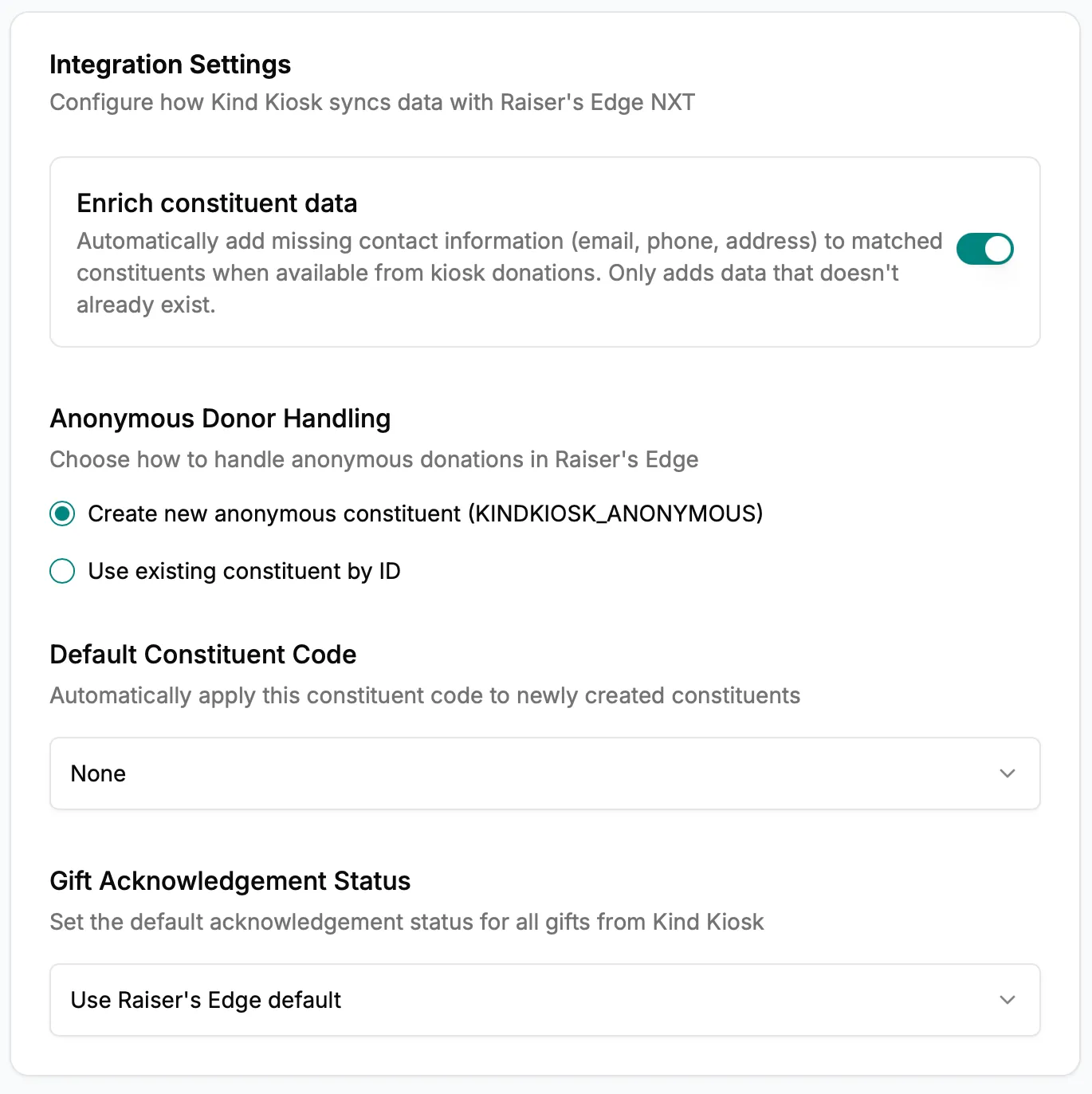
Need to control the Constituent we use for anonymous donations? Have a Constituent Code you want to apply to every Kind Kiosk donation? Want to explicitly set the Acknowledgement Status? You can do all that from the Integration settings page in the Kind Kiosk Dashboard.
We've submitted our integration to the Marketplace and it will be publicly available soon! If you'd like to enable it now, just let us know. We'll walk you through a few quick steps.
Subscribe to get notified when we ship new features and improvements.
Max of two emails per month.
You're subscribed!