
elevates in-person fundraising.
Kind Kiosk now connects directly to Salesforce. If your organization runs donor stewardship, case management, or development reporting out of Sales Cloud or Service Cloud, you can wire it up in minutes and stop juggling CSV exports.
Every kiosk donation creates (or updates) a Salesforce Opportunity with the gift amount, designation, campaign, and payment method. When enabled, declined and refunded transactions update in place too, so your pipeline stays in sync without manual cleanup.
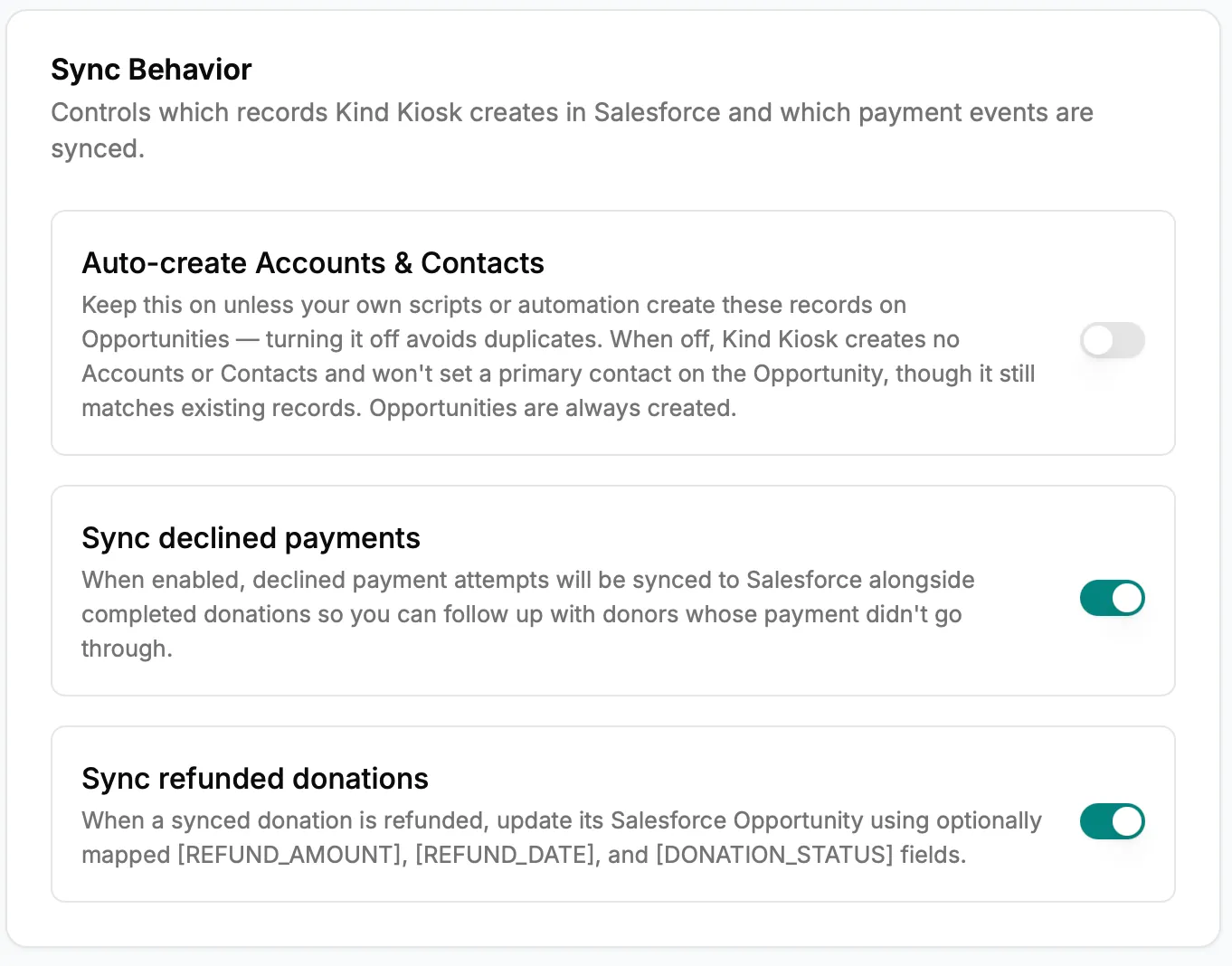
Sync Behavior settings control exactly which records Kind Kiosk creates and which payment events sync — including turning off Account and Contact creation if your own automation owns those records.
Donor name, email, phone, and address flow into Salesforce Contacts. New donors get a new record; repeat donors match on email and update the existing contact.
The field-mapping screen now surfaces writable boolean and number fields, not just text — so you can map anything from "Prefers anonymous" toggles to lifetime giving tallies into the Salesforce fields your team already reports on.
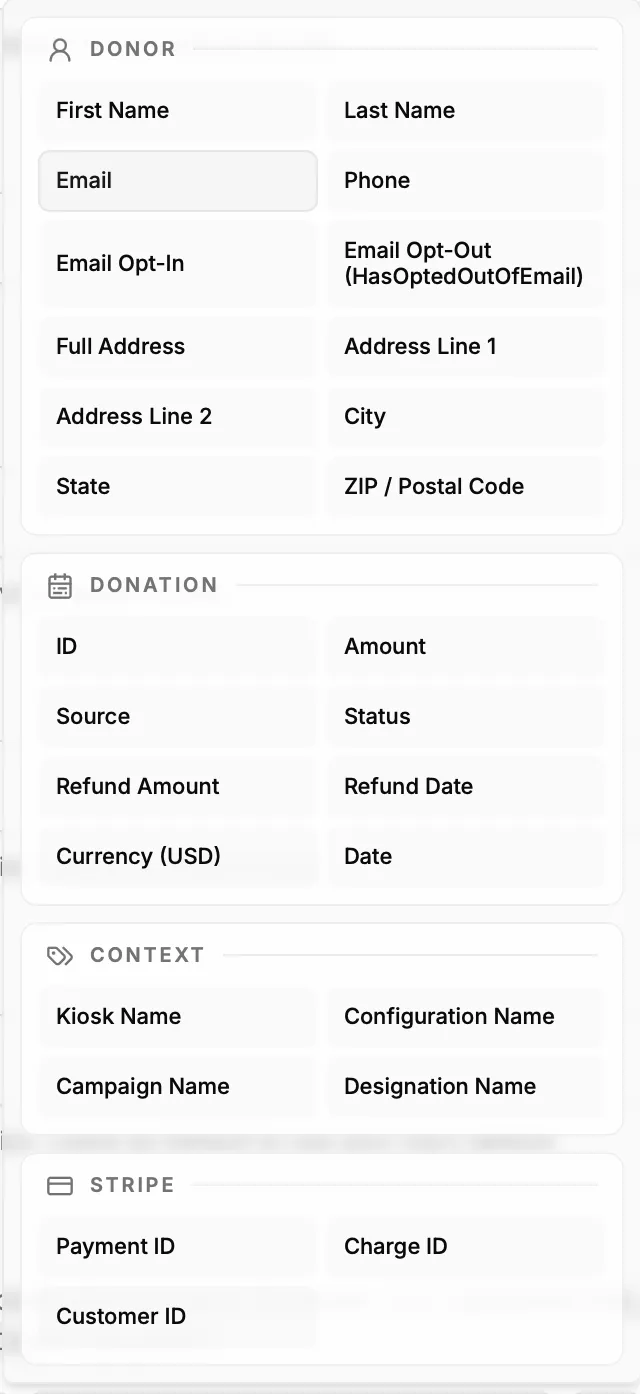
When mapping fields on an Opportunity or Contact, a full palette of donor, donation, context, and Stripe values is available to drop into any writable field.
Donor email opt-in selections are mapped to Salesforce too, so your CRM stays the source of truth for who you can email and what they consented to.
Subscribe to get notified when we ship new features and improvements.
Max of two emails per month.
You're subscribed!