
elevates in-person fundraising.
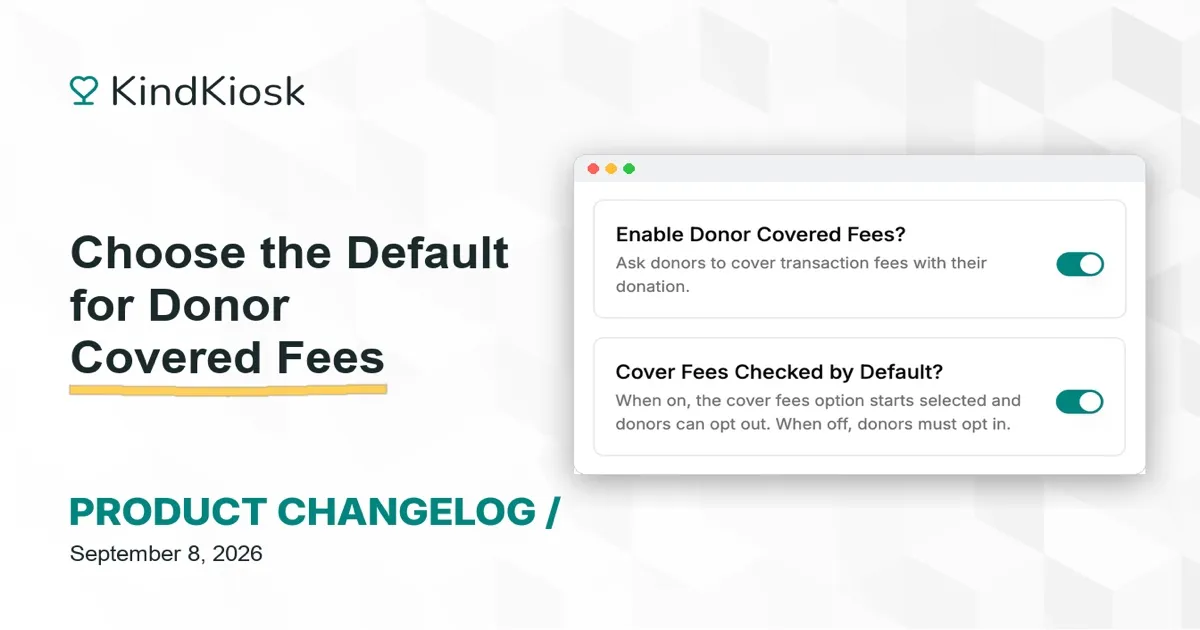
Decide how the cover fees option greets your donors. Until now, the "cover transaction fees" toggle always started on. You can now choose whether it starts on or off for each kiosk configuration, and donors can still flip it either way.
Keep the default on, and donors who would rather not cover fees can turn it off. Or start with it off, and donors who want to help with processing costs can opt in. Either way the choice stays with the donor, and the total updates on screen as they decide.
The setting applies to your kiosks, handheld devices, and the QR code donation page, so the experience matches wherever a gift starts.
Open a configuration in your dashboard, go to Donation Screen, and look for "Cover Fees Checked by Default?" right below the option that turns the fee screen on or off. Existing configurations keep today's behavior, with the toggle starting on.
Subscribe to get notified when we ship new features and improvements.
Max of two emails per month.
You're subscribed!