
elevates in-person fundraising.
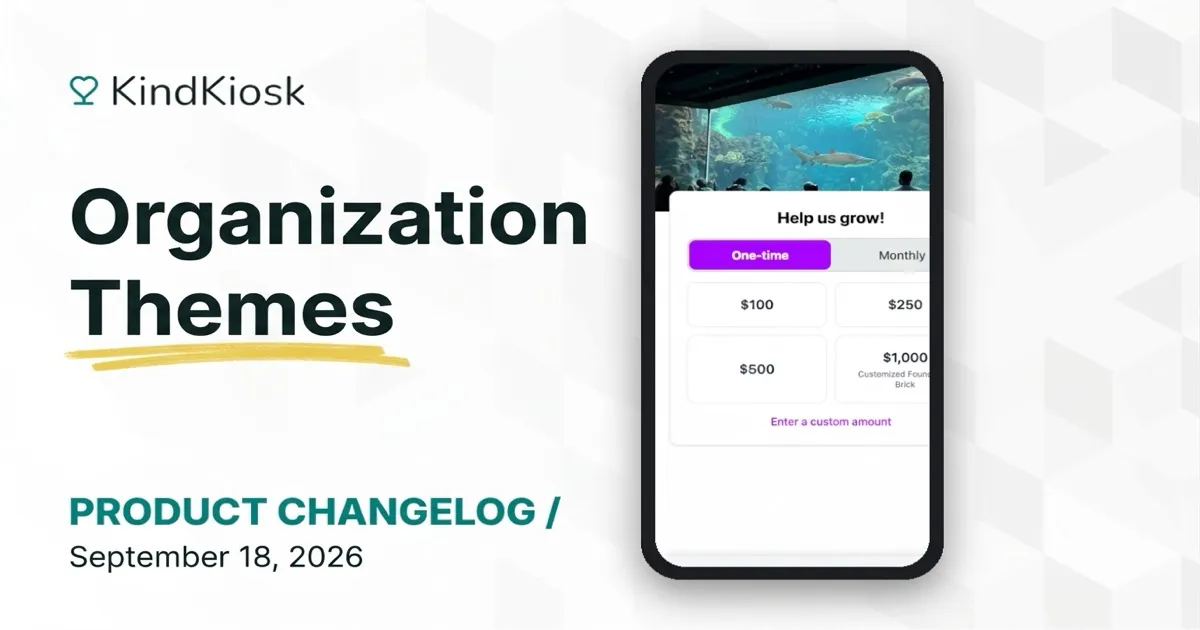
Give donors a donation experience that matches your brand. Pick a primary color once and it appears on your kiosks, handhelds, and the QR code donation page. Donate buttons, selected amounts, the one-time or monthly toggle, and the other controls in the giving flow all take on your color.
Open Organization in the dashboard and choose a color in the new Theme card. A preview shows how a button will look before you save. Button text switches between white and dark on its own, so it stays readable whether you pick a deep navy or a bright yellow.
Need a different color for one campaign or location? Each configuration's donation screen settings now include a Theme card of their own. Set a color there to override the organization color for that configuration only, or choose "Use organization default" to go back.
Nothing changes until you pick a color. Organizations without a theme keep the same neutral look they have today.
Subscribe to get notified when we ship new features and improvements.
Max of two emails per month.
You're subscribed!