
elevates in-person fundraising.
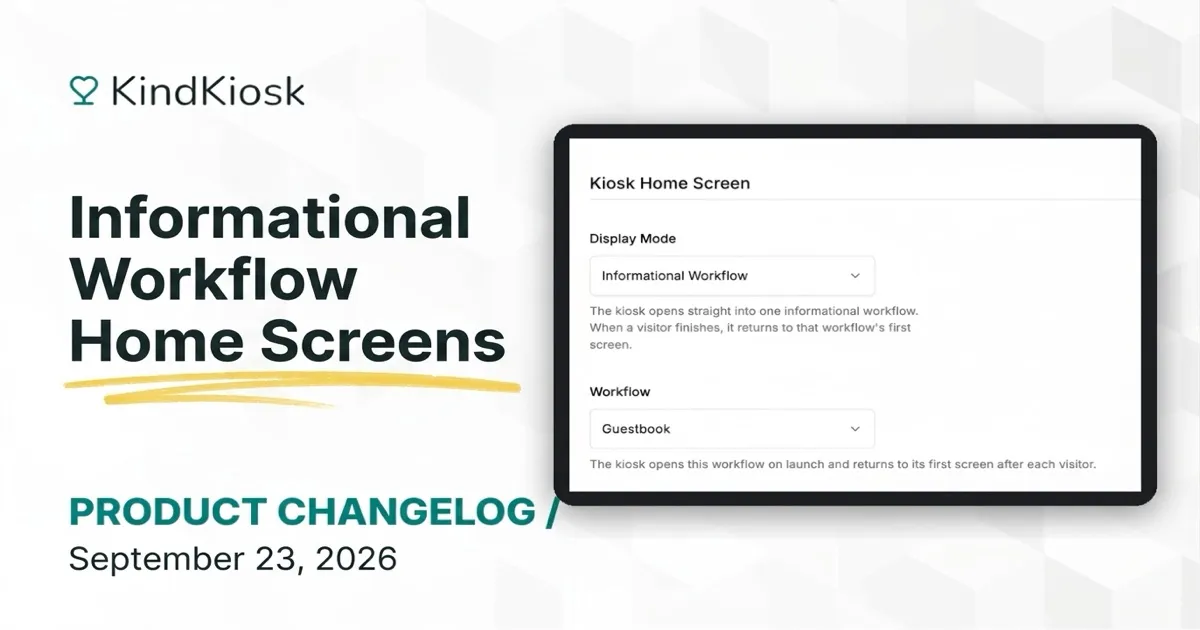
Open a kiosk straight into a guestbook, pledge form, or volunteer sign-in. You can now set an informational workflow as a kiosk's home screen, so visitors land on the page you want with no menu in front of it.
Open a kiosk in the dashboard and choose Informational Workflow under Display Mode. Pick the workflow, save, and the kiosk switches over the next time it refreshes. Works on tablet kiosks and the handheld.
When someone finishes the flow, or walks away and it times out, the kiosk returns to the workflow's first screen with a clean form. There is nothing for staff to reset between visitors.
Kiosks running an older version of the app keep showing the donation screen until they update.
Subscribe to get notified when we ship new features and improvements.
Max of two emails per month.
You're subscribed!