Big goals are easier to reach one step at a time. Campaign Phases let you break a campaign into smaller goals, each with its own start and end time. Every gift made during a phase counts toward both the phase and the campaign, so each step moves the bigger goal forward too. Monthly gifts made during a phase still run until the campaign ends, and count at their full amount.
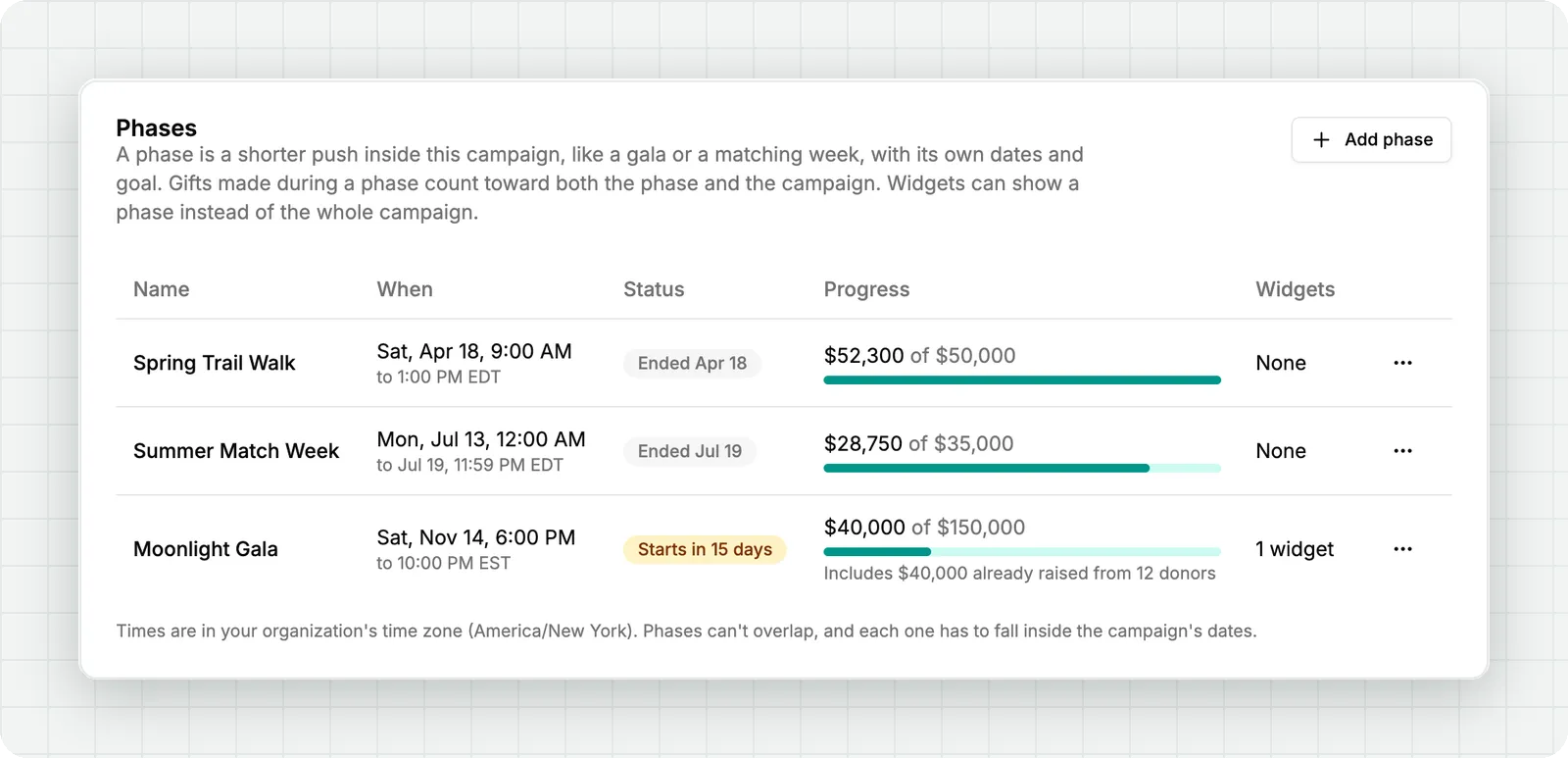
Hosting a gala in the middle of a multi-year campaign? Add the night as a phase, and give your guests a goal they can reach before they head home instead of a total that's years away. Sold sponsorships before the event? Add them as the phase's starting amount and starting donors, so they count toward the goal and the donor count from the first minute.
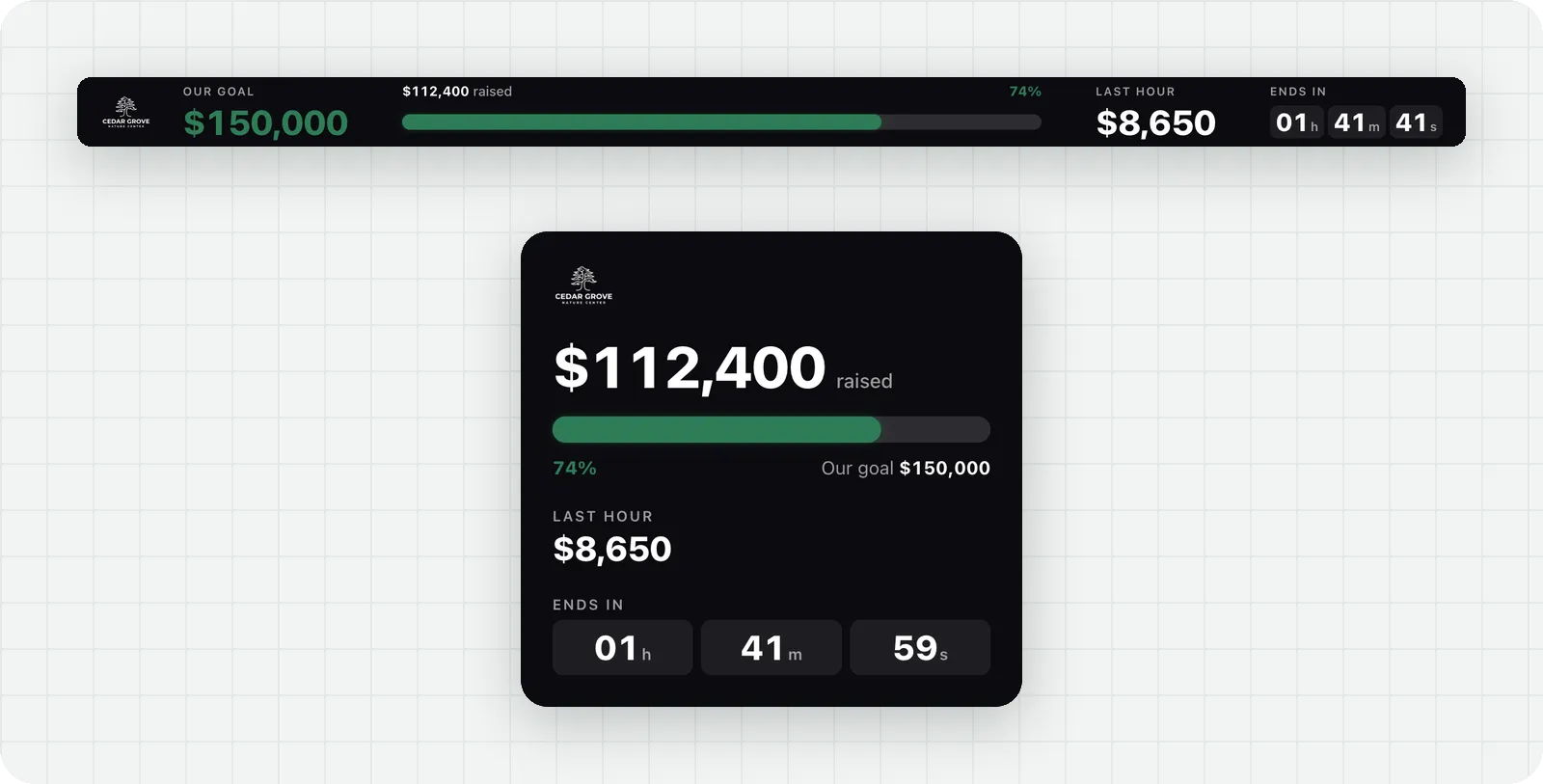
Set each live widget to show the whole campaign or one of its phases. Put the gala phase on your event screen, with its goal, progress, and a countdown to the end of the night, while the widget on your website keeps showing the full campaign. When a phase ends, a widget showing it switches back to the campaign on its own, with no reload needed.
Add up to four phases from a campaign's page, under Phases.
Subscribe to get notified when we ship new features and improvements.
Max of two emails per month.
You're subscribed!