
Decide which one-tap payment buttons donors see when they give through your QR codes, donation links, and website widgets. Under Settings, Donations, switch Apple Pay, Google Pay, and Link on or off separately.
A preview beside the switches shows what donors will see as you change them. Each method still appears only on devices and browsers that support it.
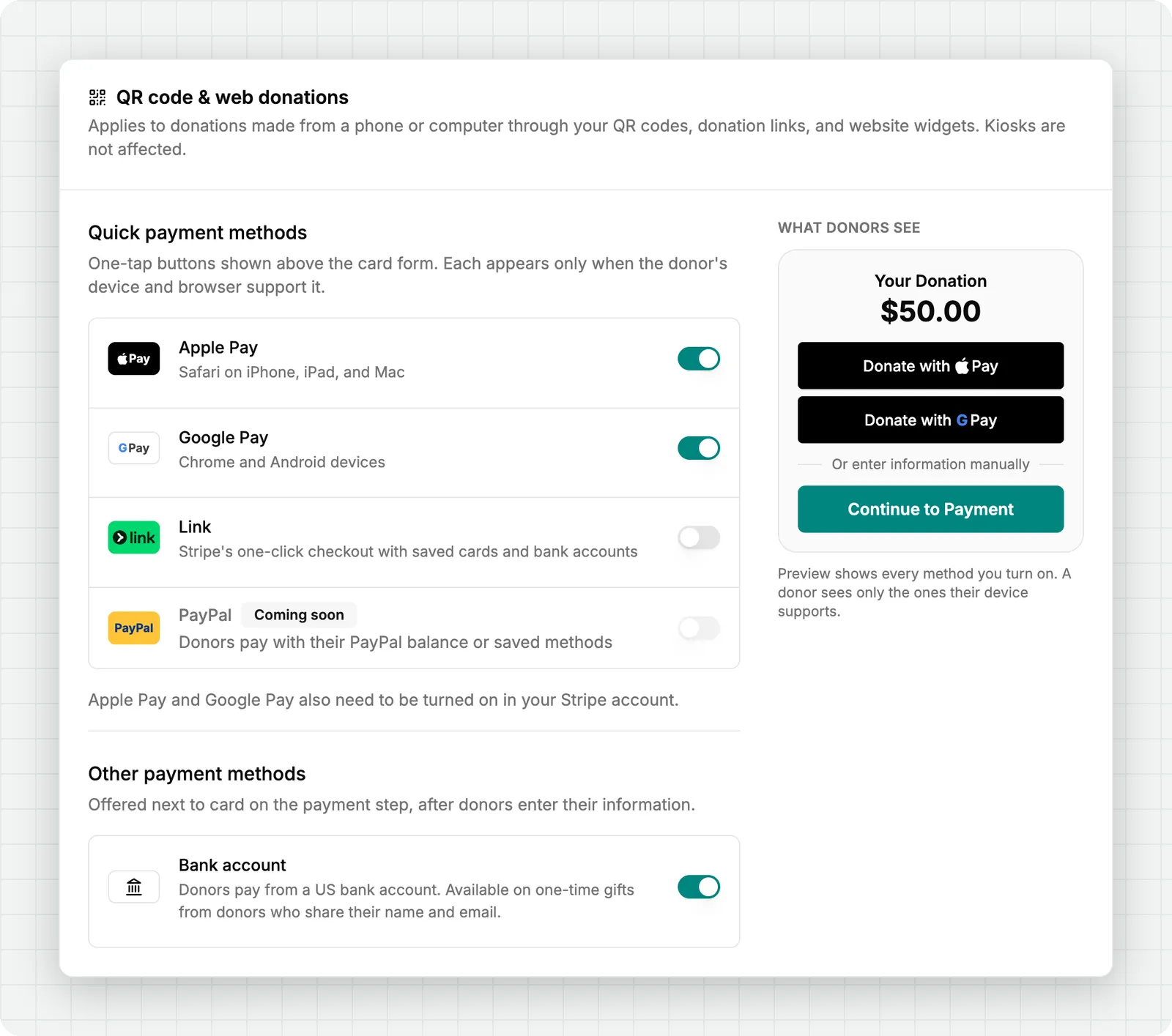
Prefer card payments only? Turn off Bank account in the same place, and donors no longer see the option to pay from a bank account.
Every method stays on until you turn it off, so your donation form looks the same as today until you choose otherwise. These settings don't apply to kiosks, where donors can always tap a card or phone to pay.
Subscribe to get notified when we ship new features and improvements.
Max of two emails per month.
You're subscribed!