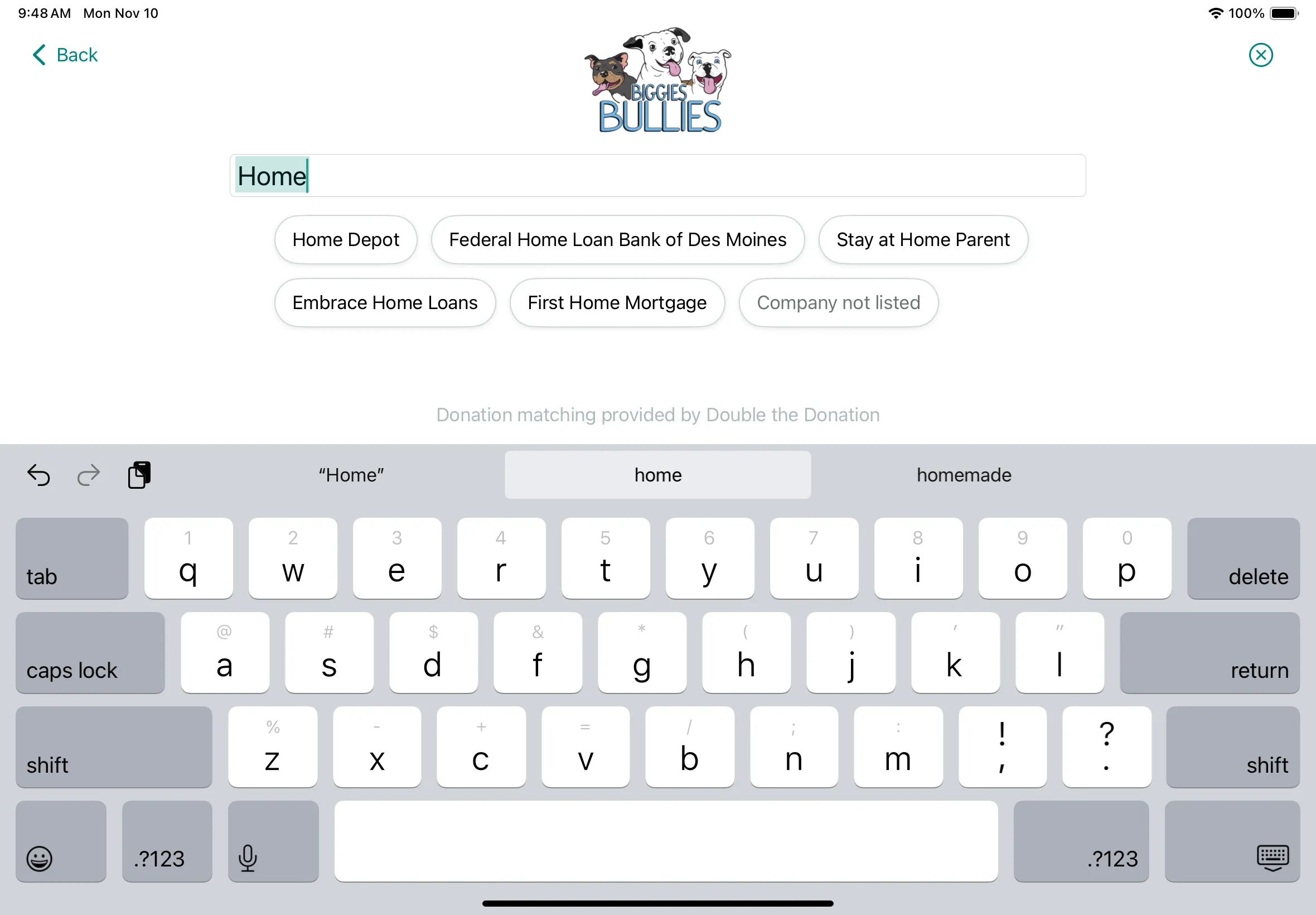
After choosing their gift, donors can look up their employer right on the kiosk. Each gift is sent to Double the Donation, which takes matching from there.
What's included
A direct connection to Double the Donation, built and maintained by our team.
Donors type a few letters and pick their company from Double the Donation's database.
One tap on No Thanks skips it, and anonymous donors never see it.
Each completed gift is sent with the donor's name, email, amount, and the company they picked.
Show the employer prompt on the configurations you choose.
How it works
In Settings, then Integrations, add your public and private keys from your Double the Donation account.
It's added to your kiosk configurations, and you can turn it off on any of them.
After choosing their gift, donors can search for their company or tap No Thanks.
Gifts appear in your Double the Donation account, where you track matches and follow-ups.


Your data
The result
Donors see the prompt right after choosing their gift, while they're thinking about impact.
Every gift lands in Double the Donation on its own, ready for your matching follow-up.
Gifts are sent as soon as the payment goes through, and failed sends retry automatically.
No. Kind Kiosk connects directly to Double the Donation through its API. Our team builds and maintains the integration, so there's no connector or middleware to set up.
No. Donors search for their company by name and pick it from the list. We send the email they gave for their receipt.
Double the Donation. Match follow-ups and reminders are sent from your Double the Donation account, not from Kind Kiosk.
Full Size and Tabletop kiosks. It isn't on the Handheld yet.
In your Kind Kiosk dashboard, go to Settings, then Integrations, and click Connect next to Double the Donation. Add the public and private API keys from your Double the Donation account, and we check them when you connect.
The integration is included on every plan. You'll need your own Double the Donation account.
Next steps
Book a 15-minute demo and we'll show you the employer search on a kiosk.
Newsletter
Product updates, fundraising tips, and nonprofit insights. No spam, just once or twice a month.