Donors who give through a Donor Advised Fund can grant from it at your kiosk with DAFpay. They scan a code, log in to their DAF provider, and send the grant from their phone.
What's included
DAFpay sits beside cards and phone wallets, so donors can use the fund they've already set aside.
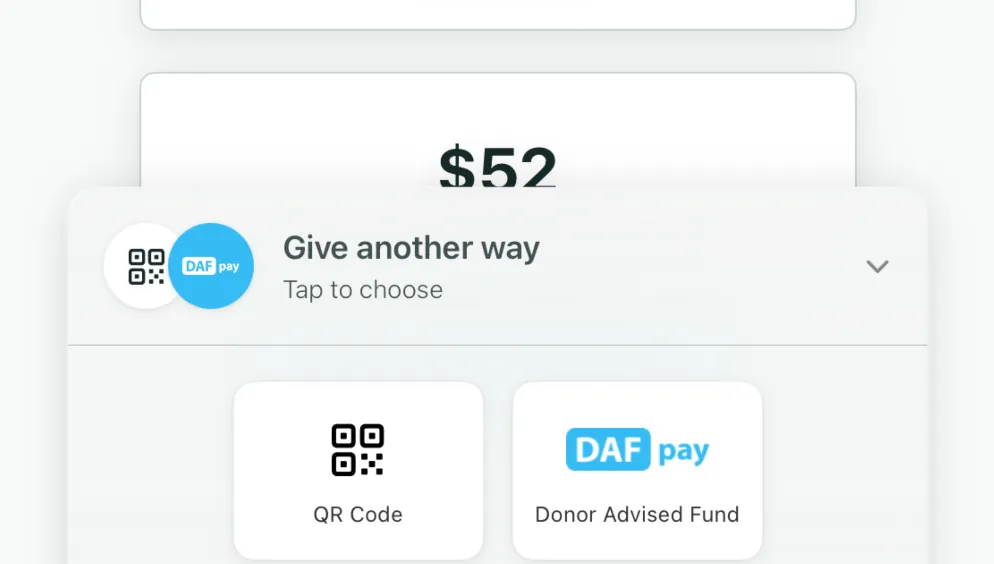
Donors tap Donor Advised Fund on the kiosk and scan a QR code with their phone.
DAFpay suggests a gift amount based on the donor's fund balance.
Each DAF gift shows its status and tracking details as the grant moves through.
Completed DAF gifts count on live leaderboards and sync to your CRM, marked as DAF gifts.
How it works
DAFpay is set up with your organization's EIN in Settings, then Integrations. Often it's added for you.
DAFpay is added to your configurations, and you can turn it off on any of them.
They log in to their DAF provider on their phone and send the grant.
Status updates appear in your dashboard, and donors get receipts by email.


The result
Many donors keep their giving in a Donor Advised Fund. DAFpay lets them use it in the moment.
Each DAF gift is credited to the kiosk it started on, so your reporting stays accurate.
Grant status updates arrive on their own, and donors get their receipts by email.
No. Kind Kiosk connects directly to DAFpay through its API. Our team builds and maintains the integration, so there's no connector or middleware to set up.
On the kiosk, they tap Donor Advised Fund under Give another way and scan the QR code with their phone. They log in to their DAF provider, choose an amount, and send the grant. They can also choose to cover fees.
DAFpay is set up with your organization's EIN. If it isn't already connected, add your EIN in Settings, then Integrations. It's then turned on for your configurations, and you can turn it off on any of them.
That depends on the donor's DAF provider, since the provider sends the grant. You can follow each grant's status in your dashboard.
Yes. They sync like other gifts and are marked as DAF gifts, for example with a DAF payment method or note, depending on your CRM.
DAFpay is included on every plan. DAFpay's processing fee is 2.9%, and donors can choose to cover the fees.
Next steps
Book a 15-minute demo and we'll show you a DAF gift from start to finish.
Newsletter
Product updates, fundraising tips, and nonprofit insights. No spam, just once or twice a month.